
Picstagrab2.9 - App Store
You'll be able to see results in few seconds.
Publisher Description
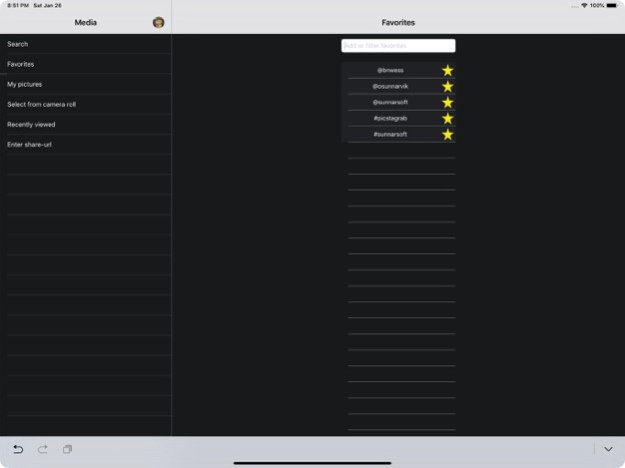
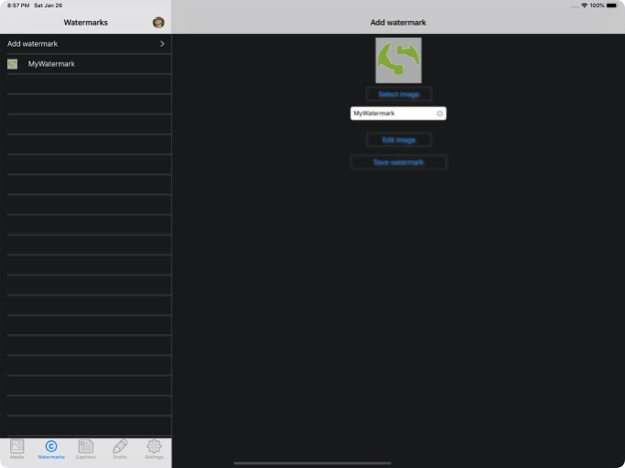
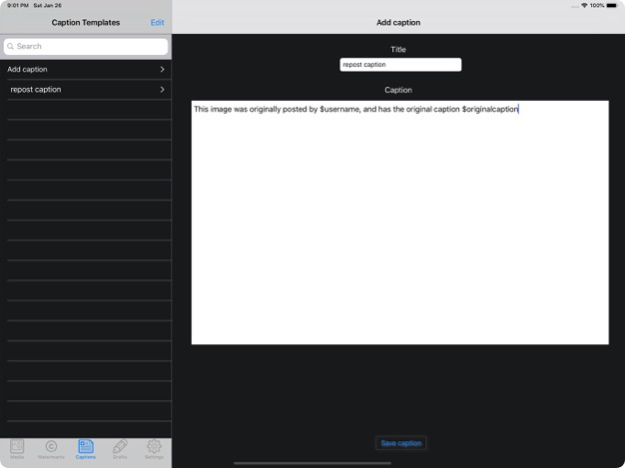
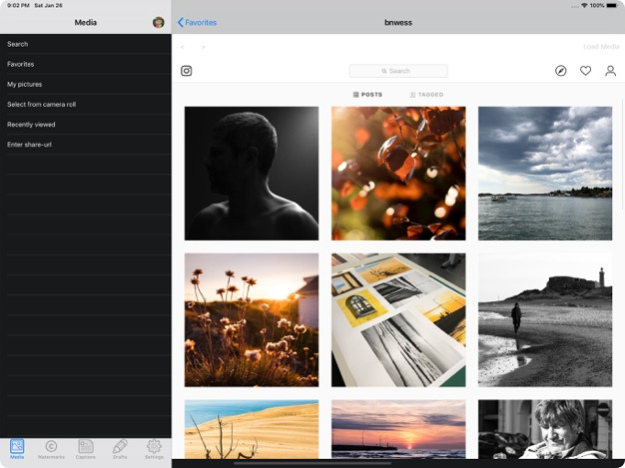
Picstagrab is an app that will help you watermark and/or repost images and videos from Instagram with optional added captions. If for instance you are posting picture of the day, moderating an Instagram hub or otherwise repost images and videos from Instagram regularly, Picstagrab will save you a lot of time and effort by helping you automate the process of featuring a picture or video.
When loading a picture or video, an automatic search may be performed using Tineye and Google image-search in order to see if there are duplicates out there. If there are duplicates, you may check the search results in order to determine if the picture is "stolen" or not. Picstagrab will make no assumptions regarding the found duplicates.
Before reposting a picture, you may add a watermark from your own "watermark-collection". You can manage your watermark collection by adding and removing available watermarks, you may choose any picture available in your camera-roll to use as a watermark. When adding a watermark to a picture, you can reposition, resize and change the opacity of the watermark as well as selecting to remove white or black backgrounds from the watermark in order to make the background of the watermark transparent.
These are unique features of Picstagrab
* You may also store a list of favourite users/hashtags for easy access, simply click the star in the search-results and the user/hashtag will be stored as a favourite.
*You may share a picture or video with an optional caption included.
The included caption may be written as you repost, or may be selected from your very own "caption-library". In the captions you may have automatic insertion of the username of the user that originally posted the picture/video and the original caption from the picture/video you are about to repost.
*Your most recently viewed pictures/videos will be available for easy access through the "recently-viewed" page.
*Share your watermarks, captions and favourites between several Apple-devices, simply enable iCloud sync, and synchronisation will be handled automatically. Also if you are transferring to a new Apple-device, all watermarks, captions and favourites will automatically be made available on your new device as long as iCloud sync is enabled for the same appleID as your old device.
*You can now also do a manual backup of your watermarks, favourite and captions. Simply tap the Backup button, and a complete backup will be made available that you can transfer to your computer using iTunes. To restore, transfer it back to the app through iTunes, and tap the backup name in the Restore from backup page.
*You can now transfer captions through iTunes for inclusion in your caption library.
If you have any feedback, or if something is not working to your expectations, please drop me a mail or use the support link, I would really appreciate to know what you think of this app and what I could do to make it better.
Please respect the property rights of any photo downloaded using this application.
Before using, altering or re-publishing any photo or video, please get permission from the owner of the photo or video.
This product uses the Instagram API but is not endorsed or certified by Instagram.
Jan 28, 2022
Version 2.9
Fixed crash when loading media
About Picstagrab
The company that develops Picstagrab is SunnarSoft Ltd. The latest version released by its developer is 2.9.
To install Picstagrab on your iOS device, just click the green Continue To App button above to start the installation process. The app is listed on our website since 2022-01-28 and was downloaded 0 times. We have already checked if the download link is safe, however for your own protection we recommend that you scan the downloaded app with your antivirus. Your antivirus may detect the Picstagrab as malware if the download link is broken.
How to install Picstagrab on your iOS device:
- Click on the Continue To App button on our website. This will redirect you to the App Store.
- Once the Picstagrab is shown in the iTunes listing of your iOS device, you can start its download and installation. Tap on the GET button to the right of the app to start downloading it.
- If you are not logged-in the iOS appstore app, you'll be prompted for your your Apple ID and/or password.
- After Picstagrab is downloaded, you'll see an INSTALL button to the right. Tap on it to start the actual installation of the iOS app.
- Once installation is finished you can tap on the OPEN button to start it. Its icon will also be added to your device home screen.
Program Details
System requirements
Download information
Pricing
Version History
version 2.9
posted on 2022-01-28
Jan 28, 2022
Version 2.9
Fixed crash when loading media
version 2.9
posted on 2022-01-28
Jan 28, 2022 Version 2.9
Fixed crash when loading media
version 2.8.1
posted on 2020-11-04
4 nov. 2020 Version 2.8.1
Bugfixes and improvements
version 2.8.1
posted on 2020-11-04
Nov 4, 2020 Version 2.8.1
Bugfixes and improvements
version 2.8
posted on 2020-10-13
Oct 13, 2020 Version 2.8
Updated for iOS 14
Fixed some bugs
version 2.7.9
posted on 2019-12-11
Dec 11, 2019 Version 2.7.9
Got Google image search back up and running. Now also with the possibility to search images selected from your camera-roll.
I have not gotten Tineye up and running just yet, but I am working on finding a solution to that one as well. For now, the Tineye searches are disabled until I find a way to re-enable them.
version 2.7.9
posted on 2019-12-11
11 Dec 2019 Version 2.7.9
Got Google image search back up and running. Now also with the possibility to search images selected from your camera-roll.
I have not gotten Tineye up and running just yet, but I am working on finding a solution to that one as well. For now, the Tineye searches are disabled until I find a way to re-enable them.
version 2.4.2
posted on 2014-12-21
version 2.8.1
posted on 1970-01-01
2020年11月4日 Version 2.8.1
Bugfixes and improvements
version 2.7.9
posted on 1970-01-01
2019年12月11日 Version 2.7.9
Got Google image search back up and running. Now also with the possibility to search images selected from your camera-roll.
I have not gotten Tineye up and running just yet, but I am working on finding a solution to that one as well. For now, the Tineye searches are disabled until I find a way to re-enable them.
Disclaimer
Official App Store Link
We do not host Picstagrab on our servers. We did not scan it for viruses, adware, spyware or other type of malware. This app is hosted by Apple and passed their terms and conditions to be listed there. We recommend caution when installing it.
The App Store link for Picstagrab is provided to you by apps112.com without any warranties, representations or guarantees of any kind, so access it at your own risk.
If you have questions regarding this particular app contact the publisher directly. For questions about the functionalities of apps112.com contact us.
